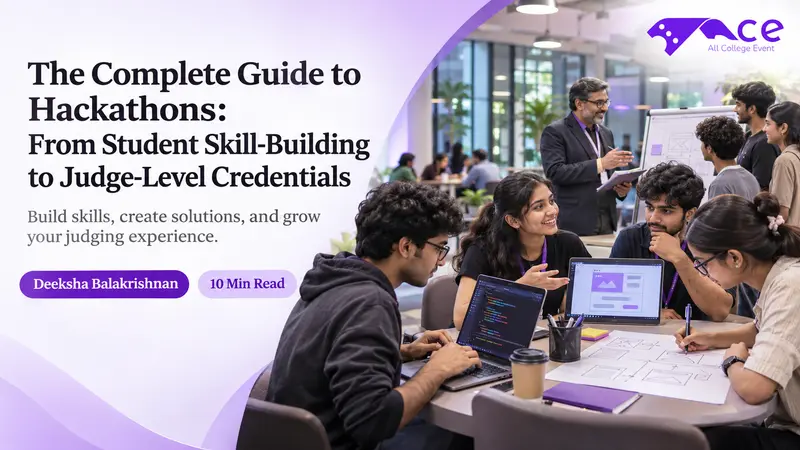
You're about to join your first hackathon. Maybe you're excited, maybe you're nervous, and maybe you've spent an hour on Google looking for a complete guide to hackathons that actually makes sense. You're in the right place.
First of all, congratulations on taking that first step. Every winner you see on stage was once a first-timer who had no idea how the weekend would go. Winning a hackathon is easier than you think, and this complete guide to hackathons will walk you through the whole journey, from your first event to your first win, and even to the day you might sit on the judges' panel yourself.
This guide is split into 9 parts:
What is a hackathon?
Types of hackathons
Who can join a hackathon?
How to prepare for a hackathon
Benefits of attending a hackathon
How to win a hackathon
Common mistakes first-timers make
From participant to judge: building your credentials
Tools and resources to get started
By the end, you'll have a clear plan for your first hackathon and know what to do after it.
Key Takeaways
A hackathon is a short, team-based event where you build a working project and present it to judges. You don't need to be an expert to join.
A balanced team (coder, designer, presenter) and a small, finishable idea beat a big idea that crashes.
Judges usually score the idea, the working demo, and the pitch. A clear 3-minute presentation matters as much as the code.
The real payoff comes after the event: keep building, ask judges for feedback, and network within 24-48 hours.
There is no official certificate for judging. Judge-level credentials come from experience, mentoring, and a visible track record.
What is a Hackathon?
A hackathon is a short event where people team up to build something new, like an app, a website, or a gadget. Most run from a few hours to a full weekend. At the end, each team shows what they made to a group of judges. Some teams win prizes, but the real goal is to learn, try new things, and meet people. You don't need to be an expert to join. Many hackathons welcome beginners, and you can learn a lot just by showing up.
Think of it as a mini project sprint. You get a problem, a deadline, and a few teammates. Everything else - the idea, the tools, the plan - is up to you. Hackathons also give you real projects and teamwork stories to share in interviews. Companies like to see students who build things and learn fast, and a hackathon is one of the quickest ways to prove that.
Types of Hackathons
Based on Participation/Audience, Hackathons can be categorized into:
Internal Hackathon: Hosted for employees in a particular company or organization.
External or Public Hackathon: This one is open to all, anyone can participate.
Customer or Private Hackathon: Only selected participants can attend this event.
Most commonly, they are divided into two types: online and offline hackathons. These hackathons will have a set of jury members who are mostly industry professionals, college professors, or Ph.D. holders.
Explore the Upcoming Offline & Online Hackathons - AllCollegeEvent
Refer to the given table to compare the given formats to get an idea about these types;
| Feature | Online Hackathon | Offline Hackathon |
| Location | Anywhere with internet | A campus, office, or event venue |
| Cost | Usually free or low cost | May include travel and food costs |
| Team formation | Discord, Slack, or event portals | On-site mixers and in-person meetups |
| Networking | Chat, video calls, virtual mentors | Face-to-face with mentors and recruiters |
| Best for | Beginners, students who can't travel | Building strong connections, full event experience |
Not sure which one fits you? If it's your first hackathon, an online event is a low-pressure way to learn the flow. Once you're comfortable, an offline event gives you a fuller experience. Explore the upcoming events on AllCollegeEvents
Who Can Join a Hackathon?
This is the question most beginners quietly ask: I have no coding experience; can I win a hackathon? For most public hackathons, the answer is yes. Here's what organizers usually look for:
Eligibility and Requirements
Open or restricted: Many hackathons require active student enrollment, while others are globally open to professionals, beginners, and hobbyists of a certain age.
Team Structure: Most competitions require teams of 2 to 6 members, ideally combining developers, designers, and presenters.
Fresh Projects: All code and designs must be built completely from scratch during the specific timeframe of the event.
Core Deliverables: Teams must submit a working prototype, their source code repository, a project description, and a demo video or pitch deck.
Registration Checklist
Make sure that you have the following items ready before participating in a hackathon:
A valid college or government ID
A working email and a phone number
A GitHub profile (even a basic one)
Your teammates' details, if you already have a team
A quick read of the rules, themes, and judging criteria
If you don't feel ready to contribute yet, that's okay. You're welcome to just observe at many events, and you can still learn a lot.
How to Prepare for a Hackathon
A proper plan before the event is better than a last-minute panic session. In this complete guide to hackathons, you’ll get to know the entire winning strategy.
Where to Find the Best Hackathon
AllCollegeEvent is the easiest place to start. You can browse upcoming online and offline hackathons in one place instead of hunting through scattered posts and group chats. Social media is the second-best option. X and LinkedIn both have active hackathon communities, and most events now run their own Discord for updates and team-finding.
What Skills Do I Need for a Hackathon?
It depends on your role, but most teams need a mix of skills. If you're coding, know one language (like Python or JavaScript) and the basics of Git and GitHub so your team doesn't overwrite each other's work. If you're designing, tools like Figma or Canva are enough to make your prototype look good. You'll also want someone who knows simple databases or APIs to store data, and someone who can present.
A clear 3-minute pitch often matters more than fancy code, since judges see many teams in a short time. Most of all, be ready to adapt. Teams often change their idea mid-event, so problem-solving matters more than any single skill. You don't need to be good at everything. Just split the roles so each person handles one part well.
| Role | What They Do | Useful Tools |
| Front-end developer | Builds what users see and click | React, HTML/CSS, JavaScript |
| Back-end developer | Handles data, logic, and APIs | Python, Node.js, Firebase |
| UI/UX designer | Designs screens and user flow | Figma, Canva |
| Presenter/storyteller | Prepares the pitch, slides, and demo | Google Slides, Canva, PowerPoint |
| Team lead / coordinator | Tracks time, tasks, and deadlines | Notion, Trello, Google Sheets |
In a team of three or four, one person can wear two hats. What matters is that every role is covered.
Before the Event
The first step is to have a good team, a reliable system with internet, and the basic skills to understand the idea and build a prototype. Then strike these items off your checklist:
Build a balanced team: Look for teammates who cover different roles, like coding, design, and presenting, rather than people with the same skill set. This avoids the scenario where one skilled person does all the work while others take credit. Keep your team small, around 3-4 people, since that size balances coverage without coordination problems. If you don't have a team, most hackathons let you join one on the spot through Discord or on-site mixers.
Set up your tools: Install code editors, frameworks like React, databases, and any necessary SDKs before the event. It saves valuable time.
Learn the basics of Git and GitHub: So your entire team can work on the same codebase without crashing each other's work.
Get comfortable with AI assistants: Tools like ChatGPT and GitHub Copilot can help you generate ideas, get code snippets, and start building your prototype faster.
Understand the hackathon domains: Choose a domain or challenge related to your expertise, not just something random.
Pick the right problem statement: For open challenges, this decision shapes your whole weekend. You can refer to Hackathon Problem Statements for a wide range of problems to solve.
During the Event
In this period, you need to brainstorm ideas, manage your time tightly by understanding the given problem statement, and build a simple Minimum Viable Product (MVP). An MVP (Minimum Viable Product) is the simplest working version of your idea that still shows its core function.
In the first 60 mins, you need to go through the problem statement thoroughly and discuss it with your team. Keep your idea of the prototype small and achievable rather than building an overly ambitious project.
Assign specific tasks to all team members, like: Front-end Development, UI/UX Design, Back-end Coding, Presentation Preparation, etc.
After the event
After your presentation, keep your prototype alive and grow it into a working product. Research shows only about 35% of hackathon projects see any continued activity after the event, and just 5% are still being worked on five months later. So simply choosing to keep building gives you an edge most teams never get.
Your working product can be a ‘golden ticket’ to a job in that field. Here's what to do in the days after:
Get feedback from the judges and note the mistakes they pointed out.
Push your code to GitHub with a clear README.
Write a short post on LinkedIn about what you built and learned.
Network within 24-48 hours with mentors, industry people, and HR professionals you met.
Add the project to your resume with one line about what you built and your role.
What are the hackathon benefits?
Hackathons hand you something a classroom can't: a real project built under real pressure, with a working demo to show for it. You learn faster. There's no better teacher than a deadline. You'll pick up new tools, fix real bugs, and learn how teams actually work. You discover your strengths. You might find you're better at explaining an idea than coding it, or that you enjoy UI work more than backend logic. That's hard to learn any other way before you're job-hunting.
You build a portfolio. A finished project, even a small one, tells recruiters more than a list of course names. You start your network. Mentors, fellow participants, and company recruiters are all in the room. The connections you make there often outlast the event itself, and several students land internship leads or referrals directly from people they meet at hackathons. You get interview stories. "Tell me about a time you worked under pressure" is a lot easier to answer after a 24-hour build.
How to Win a Hackathon
Hackathon judges may be technical or non-technical, but they score every team on the same things:
the idea,
the working demo,
and the presentation.
Remember, hackathons are not just about winning. They're also a fun way to meet like-minded people and experiment with new ideas. But it helps to be a little competitive.
Judges will score your presentation based on the given criteria:
| Criteria | What Judges Ask Themselves |
| Idea/innovation | Is this freshly solving a real problem? |
| Working demo | Does it actually work, or is it just slides? |
| Impact | Who does this help, and how many people? |
| Design | Is it easy and pleasant to use? |
| Presentation | Was the pitch clear, confident, and on time? |
Now, a few ways to stand out:
Make the prototype captivating. Ask yourself: Can the presentation be interactive? Is the prototype visually interesting? Is my idea really prize-worthy?
Start your pitch with the problem, show your demo, and end with who it helps.
Rehearse your demo several times. Things break at the worst moment, so have a backup, like a recorded video.
Stress-test your idea with one question: would a judge remember this an hour from now, after seeing ten other teams? If not, simplify the problem you're solving or sharpen how you're presenting it. A clear, memorable solution to a small problem consistently beats a confusing solution to a big one.
Common Mistakes to Avoid
Everyone makes mistakes at their first hackathon. I have listed the main mistakes to dodge:
From Participant to Judge: Building Your Credentials
Most of the other hackathon guides skip this one - hackathons aren't only for participants. With time, you can grow into a mentor, an organizer, and eventually a judge. There's no official certificate for judging. Hackathon judge credentials come from experience, and organizers usually invite people who have proven they understand the space. A few tips to move along this path:
Judges are mostly industry professionals, college professors, or Ph.D. holders, but many student-focused events also welcome advanced students and recent graduates with relevant skills. It's also a great way to keep up your hackathon skill building.
Tools and Resources to Get Started
I have made a starter kit so you're not searching for links at midnight:
Conclusion
So, are you ready to put this complete guide to hackathons into action? In one weekend, you can build a real project, learn new skills, meet great people, and collect stories for your next interview. And who knows? With a few events behind you, you might even become a mentor or a judge one day.
Just follow these steps, pick an event, set one small goal, and sign up. Don't wait until you feel "ready." Your first hackathon is where you get ready. Which hackathon will you join first? Browse upcoming online and offline hackathons on AllCollegeEvent.com and register for your first one today.
Looking for your next opportunity? Browse upcoming International Level hackathons, conferences, STTPs/FDPs on AllCollegeEvent to discover events that align with your career goals.
📞 +91 96008 88519 | ✉️ support@allcollegeevent.com | Follow us: Instagram – ECLearnix Instagram - AllCollegeEvent
Ready to Join Your Next College Fest?
Discover upcoming technical, cultural, sports and workshop events near you.
Explore Events Now